Unlock the Full Power of LensFlowPro
Export in 4K and original resolution, enable ultra-smooth 60 & 120 FPS output, and remove all watermarks — forever.
One-time payment. Lifetime access. No subscriptions.


Free vs Pro
See exactly what you get when you upgrade.
Free Version
- —Standard resolution export
- —Watermarked output
- —Limited frame rate options
Pro Version Unlocks
- 4K & original resolution export
- 60 FPS & 120 FPS export
- Completely watermark-free exports
With the Pro license, you get:
- Export in 4K and original resolution
- Enable 60 FPS and 120 FPS output
- Remove all watermarks
- Activate on up to 3 devices
- Free minor updates included
- No subscription required
License Details
- Activate on up to 3 devices
- Deactivate and transfer your license anytime
- Works offline after activation
- Instant license key delivery via email
Key Features & Advantages
Professional tools for creators—cinematic export, smooth cursor, and flexible recording.
App Blocklist
Block AI assistants from recordings; keep prompts private while sharing your workflow.
Smart Camera
Cinematic export: keyframe editing, auto-analysis from mouse behavior, smart merge. Deterministic, frame-reproducible output.
Screen Magnifier
Zoom 1.0×–3.0× while recording (Option + Scroll). Built-in magnification for code reviews and demos.
Multi-Track Audio
System audio and mic as separate tracks; AEC for clear voiceovers. Mix or export separately in post.
Why LensFlowPro
Full Feature List
Detailed breakdown by category.
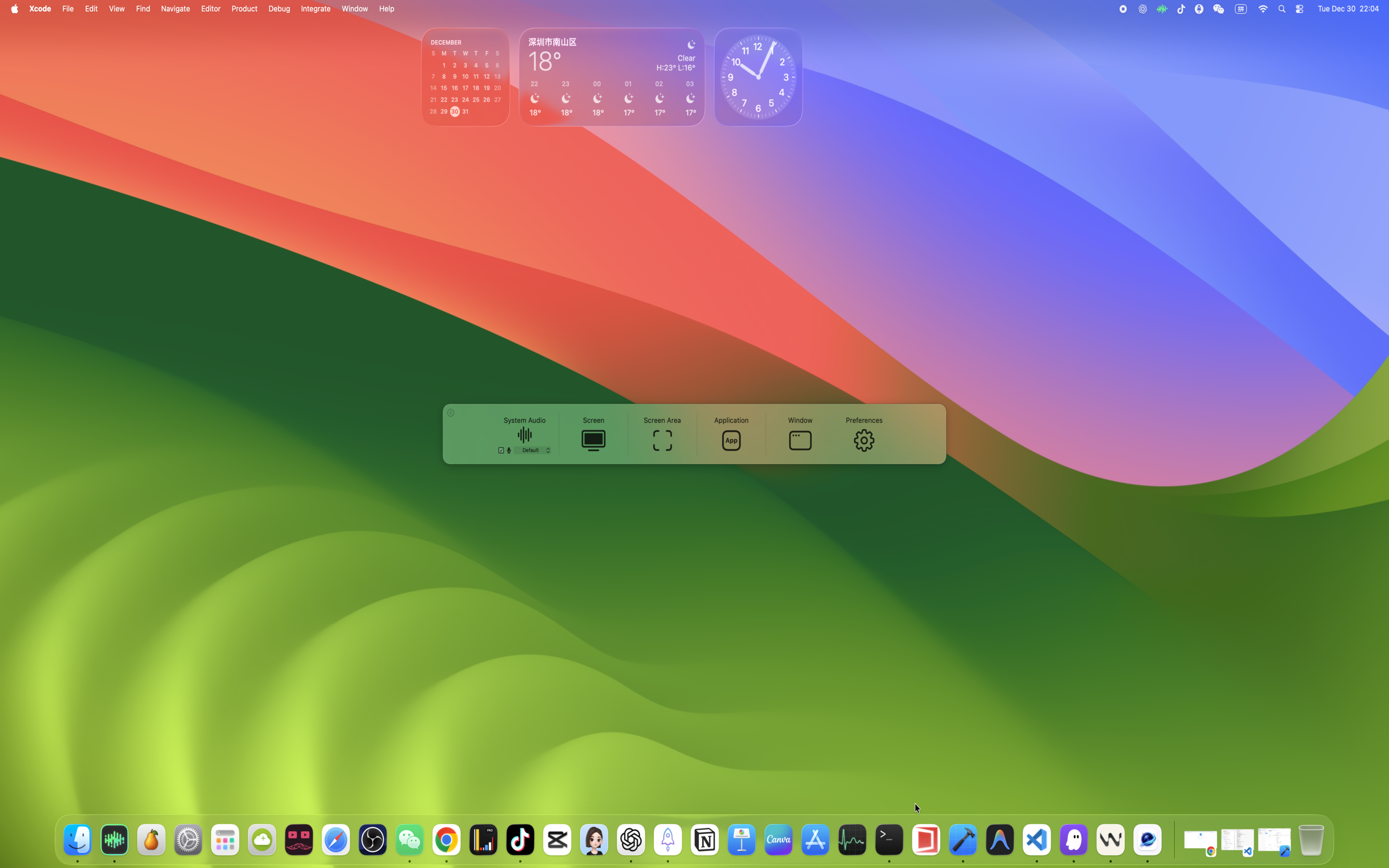
| Category | Feature | Description |
|---|---|---|
| Recording Modes | Full Screen Recording | Capture the entire display (including the menu bar) |
| Recording Modes | Area Recording | Pixel-perfect selection of any region |
| Recording Modes | App Recording | Record only the selected application |
| Recording Modes | Window Recording | Record a single window (even if it’s covered) |
| Recording Modes | System Audio | Record internal audio with no extra drivers |
| Audio | True Multi-Track Audio | Separate system audio and microphone tracks for editing |
| Audio | Acoustic Echo Cancellation (AEC) | Crystal-clear voiceovers with reduced echo |
| Audio | Multiple Formats | MP3, AAC, ALAC, FLAC, Opus |
| Camera | Picture-in-Picture Overlay | Customizable shape, border, and position |
| Camera | Live Mirroring | Instantly flip the camera feed |
| Effects | Screen Magnifier | Zoom 1.0×–3.0× in real time (Option + Scroll) |
| Effects | Mouse Highlight | Visualize clicks (different colors for left/right/middle) |
| Effects | Smart Cursor Smoothing | Path redraw engine eliminates jitter so recorded cursors glide like a dolly shot |
| Smart Camera | Metadata Recording | Capture mouse events during screen recording for cinematic playback |
| Smart Camera | Manual Keyframe Editing | Add/edit/delete camera keyframes on the timeline for precise control |
| Smart Camera | Auto-Analysis | Automatically generate camera movements from mouse behavior |
| Smart Camera | Deterministic Export | Frame-by-frame reproducible output based on recorded metadata |
| Output | Video Formats | MP4 (H.264/H.265), MOV, Alpha channel |
| Output | HDR Recording | HDR on macOS 15+ |
| Output | Presets | Save and reuse recording configurations |
Perfect For
Built for professionals who demand uncompromising output quality.
Video Editors
4K source footage, multi-track audio, watermark-free output
Motion Designers
120 FPS capture, cinematic Smart Camera, alpha channel export
Content Creators
Tutorials, demos, courses — clean exports ready for publishing
Professional Photographers
Original resolution capture for retouching workflows and client reviews
Buy with Confidence
Quality & User Experience
Quality and Export
- Supports high-quality video encoding, balancing image quality and file size
- Optimized for modern displays and editing workflows
- Exported files can be imported directly into common video editing software
Less distraction, more focus on creation
- Clean control interface with key settings at a glance
- Flexible control over whether the menu bar and desktop icons appear in the recording
- Supports mouse highlight and zoom effects to better guide viewers' attention
Optimized for long recording sessions
Optimized specifically for long-duration recording to reduce stutters and interruptions. Ideal for recording full courses, multi-chapter trainings, or long product walkthroughs.
Data Protection & Security
Built with privacy and security as core principles
Local Processing
- • All video encoding happens on-device
- • No cloud processing or external dependencies
- • Files remain on your device until you choose to share
- • No telemetry or usage tracking
System Integration
- • Uses Apple's native screen recording APIs
- • Complies with macOS security permissions
- • Respects user privacy settings and controls
- • Hardened Runtime with Developer ID signing
System Requirements
Minimum Requirements
- Platform:macOS
- Version:macOS 14.2+ (Sonoma)
- Architecture:Apple Silicon (arm64)
- Memory:8GB RAM recommended
- Storage:500MB free space
Feature Compatibility
- macOS 14.2+: Full feature set including Presenter Overlay
- macOS 15.0+: HDR recording & latest optimizations
Requires macOS 14.2 (Sonoma) or later. Latest macOS recommended for optimal performance.
Privacy & Compliance
Privacy First Approach
- All recordings are stored locally on your device by default
- No automatic data transmission to external servers
- Minimal system diagnostic logs for crash reporting only
- Explicit user consent required for any data sharing
Smart Camera Privacy
Metadata recorded for cinematic export is handled with the same privacy standards as your video data.
Metadata We Collect
- Mouse position and click timing
- Active window focus changes
Privacy Safeguards
- Stored only in your local project file
- Never transmitted to cloud servers
- Deleted when the recording project is removed
Security & Distribution
Intended Use
For creating original content: tutorials, demos, training videos, and personal recordings.
Content Guidelines
- • No DRM bypass functionality
- • No protected streaming capture
- • Users comply with applicable laws
Distribution & Code Signing
- • Signed with Apple Developer ID certificate
- • Notarized by Apple for Gatekeeper verification
- • Hardened Runtime enabled
- • No background performance impact
Support and Feedback
If you run into issues while using LensFlowPro, or have feature requests or ideas for improvements, feel free to contact the developer.
Contact
chenjianyu944@gmail.comWhen reaching out, it's helpful if you can also include:
- • Your macOS version
- • Your Mac model
- • A brief description of the issue or what you want to achieve
- • Screenshots or a short video, if available
This information helps diagnose problems more quickly and continuously improve the LensFlowPro experience.