Record Your Mac Like a Pro
Professional screen recording for Mac. Built for creators, developers, and educators.
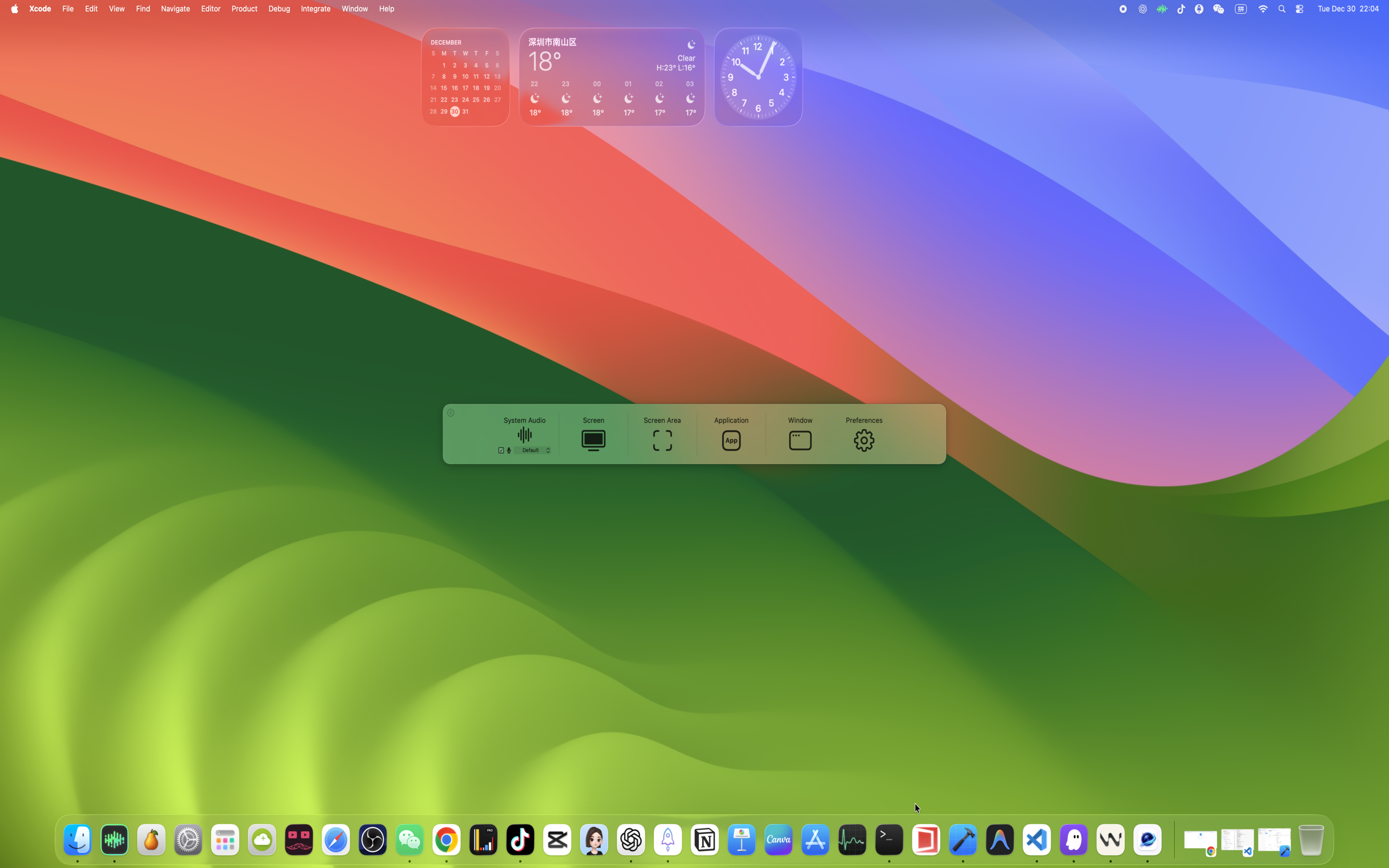
Key Features
Professional-grade tools for modern creators
App Blocklist
Perfect for AI-assisted content creators.
- Block ChatGPT, Claude, or any AI assistant from your recordings
- Keep your prompts private while sharing your workflow
- Ideal for tutorial creators who use AI but don’t want to reveal their prompts
Smart Camera
Create professional, cinematic-style screen recordings automatically.
- Metadata Recording - Capture mouse events for playback
- Manual Keyframe Editing - Full control over the timeline
- Auto-Analysis - Smart camera movements from mouse behavior
- Smart Merge - Blend manual and auto keyframes seamlessly
Real-Time Screen Magnifier
The only screen recorder with built-in magnification.
- Zoom 1.0× to 3.0× while recording
- Option + Scroll to adjust zoom level
- Perfect for code reviews, design critiques, and detailed demos
True Multi-Track Audio
Professional audio separation for post-production.
- System audio and microphone as separate tracks
- Mix in post-production or export separately
- Acoustic Echo Cancellation for crystal-clear voiceovers
Full Feature List
Detailed breakdown by category.
Smart Camera – Intelligent Cinematic Export
Turn your screen recordings into professional cinematic videos with our intelligent camera system.
Cinematic Control
- Manual Keyframe Editing: Add, edit, or delete camera keyframes on the timeline for complete creative control.
- Timeline Preview: Real-time preview with smooth interpolation between keyframes.
Intelligent Analysis
- Auto-Analysis: Automatically generate smooth camera movements based on recorded mouse behavior.
- Smart Merge: Manual keyframes take priority; auto keyframes intelligently fill the gaps.
Precision Export
- Deterministic Export: Same input always produces the same output, ensuring frame-reproducible results.
- Export Validation: Pre-export checks prevent invalid outputs and ensure high-quality renders.
Metadata Capture
- Metadata Recording: Capture raw mouse events during recording for high-fidelity reconstruction during export.
| Category | Feature | Description |
|---|---|---|
| Recording Modes | Full Screen Recording | Capture the entire display (including the menu bar) |
| Recording Modes | Area Recording | Pixel-perfect selection of any region |
| Recording Modes | App Recording | Record only the selected application |
| Recording Modes | Window Recording | Record a single window (even if it’s covered) |
| Recording Modes | System Audio | Record internal audio with no extra drivers |
| Audio | True Multi-Track Audio | Separate system audio and microphone tracks for editing |
| Audio | Acoustic Echo Cancellation (AEC) | Crystal-clear voiceovers with reduced echo |
| Audio | Multiple Formats | MP3, AAC, ALAC, FLAC, Opus |
| Camera | Picture-in-Picture Overlay | Customizable shape, border, and position |
| Camera | Live Mirroring | Instantly flip the camera feed |
| Effects | Screen Magnifier | Zoom 1.0×–3.0× in real time (Option + Scroll) |
| Effects | Mouse Highlight | Visualize clicks (different colors for left/right/middle) |
| Smart Camera | Metadata Recording | Capture mouse events during screen recording for cinematic playback |
| Smart Camera | Manual Keyframe Editing | Add/edit/delete camera keyframes on the timeline for precise control |
| Smart Camera | Auto-Analysis | Automatically generate camera movements from mouse behavior |
| Smart Camera | Deterministic Export | Frame-by-frame reproducible output based on recorded metadata |
| Output | Video Formats | MP4 (H.264/H.265), MOV, Alpha channel |
| Output | HDR Recording | HDR on macOS 15+ |
| Output | Presets | Save and reuse recording configurations |
Perfect For
Content Creators
Tutorials, demos, walkthroughs
Developers
Bug reports, code reviews, presentations
Educators
Online courses, training videos
Remote Workers
Async messages, screen shares
Key Advantages
1. Flexible recording for different scenarios
Entire Desktop
Record the full desktop or specific display
App-Specific
Record only a particular app window
Precise Control
Control exactly what gets recorded
2. Clear visuals and high-quality audio
System Audio
Supports system audio recording (app sounds, video audio, etc.)
Microphone Recording
Ideal for speaking while operating, can record both simultaneously
3. Presenter Overlay / Picture-in-picture narration
On macOS 14+, LensFlowPro supports Apple's Presenter Overlay feature for professional narration. Your camera feed appears naturally on screen without blocking key content.
Quality & User Experience
Quality and Export
- Supports high-quality video encoding, balancing image quality and file size
- Optimized for modern displays and editing workflows
- Exported files can be imported directly into common video editing software
Less distraction, more focus on creation
- Clean control interface with key settings at a glance
- Flexible control over whether the menu bar and desktop icons appear in the recording
- Supports mouse highlight and zoom effects to better guide viewers' attention
Optimized for long recording sessions
Optimized specifically for long-duration recording to reduce stutters and interruptions. Ideal for recording full courses, multi-chapter trainings, or long product walkthroughs.
Data Protection & Security
Built with privacy and security as core principles
Local Processing
- • All video encoding happens on-device
- • No cloud processing or external dependencies
- • Files remain on your device until you choose to share
- • No telemetry or usage tracking
System Integration
- • Uses Apple's native screen recording APIs
- • Complies with macOS security permissions
- • Respects user privacy settings and controls
- • Follows App Store sandboxing requirements
System Requirements
Minimum Requirements
- Platform:macOS
- Version:macOS 12.3+ (Monterey)
- Architecture:Intel or Apple Silicon
- Memory:8GB RAM recommended
- Storage:500MB free space
Feature Compatibility
- macOS 12.3+: Basic screen recording & audio
- macOS 13.0+: Enhanced performance modes
- macOS 14.0+: Presenter Overlay feature
- macOS 15.0+: Latest optimizations
Latest macOS version recommended for optimal performance and features
Privacy & Compliance
Privacy First Approach
- All recordings are stored locally on your device by default
- No automatic data transmission to external servers
- Minimal system diagnostic logs for crash reporting only
- Explicit user consent required for any data sharing
Smart Camera Privacy
Metadata recorded for cinematic export is handled with the same privacy standards as your video data.
Metadata We Collect
- Mouse position and click timing
- Active window focus changes
Privacy Safeguards
- Stored only in your local project file
- Never transmitted to cloud servers
- Deleted when the recording project is removed
App Store Compliance
Intended Use
For creating original content: tutorials, demos, training videos, and personal recordings.
Content Guidelines
- • No DRM bypass functionality
- • No protected streaming capture
- • Users comply with applicable laws
Technical Standards
- • Apple Human Interface Guidelines
- • App Store compliant APIs
- • Privacy manifests included
- • No background performance impact
Support and Feedback
If you run into issues while using LensFlowPro, or have feature requests or ideas for improvements, feel free to contact the developer.
Contact
chenjianyu944@gmail.comWhen reaching out, it's helpful if you can also include:
- • Your macOS version
- • Your Mac model
- • A brief description of the issue or what you want to achieve
- • Screenshots or a short video, if available
This information helps diagnose problems more quickly and continuously improve the LensFlowPro experience.